* This article was last updated on December 2, 2025.
Tesla Smart Home Integration: 10 Proven Tweaks That Shockingly Slashed My Energy Bills
The month before I finally got serious about integrating my Tesla with our home setup, the electricity bill hit a mildly terrifying $238. That’s not “skip-a-latte” money—that’s “maybe-we-should-check-the-attic-for-a-grow-op” money. Fast forward just one month after making a few smart tweaks? The bill dropped to $162. Same house. Same people. Same nightly argument about who forgot to hit start on the dishwasher.
What changed? Not the appliances, not the weather—just the choreography. It was all about when we charged the car, how the energy-hungry stuff ran, and who was actually running the show. (Spoiler: not me. It was the Tesla app. I’m just the unpaid intern.)
This guide is for fellow homeowners who don’t have hours to waste chasing gimmicks or playing with smart-home toys that look cool but don’t pay off. I’m going to walk you through the 10 real-world tweaks that cut 25–35% off my power bill over a full year. No fluff. No $6,000 sci-fi thermostats. Just the practical moves that work—and a few that really didn’t.
You’ll get:
- A 60-second checklist to see if this can work in your house
- A dead-simple savings calculator
- A visual map showing exactly where the dollars go (and how to pull them back)
Give me 15 minutes, and I’ll help you hand over your home’s electric bill to a Tesla that quietly moonlights as your new CFO. Let’s stop just turning off lights and start turning the whole system in your favor.
Table of Contents
Why Tesla smart home integration matters in 2025
Most people treat their Tesla like a fancy appliance: you plug it in, shrug at the bill, and move on. The quiet secret of Tesla Smart Home Integration is that the car, charger, Powerwall, and app can behave like a tiny energy trader living in your phone—shifting loads, smoothing spikes, and turning “whoops” moments into “oh, that wasn’t so bad” when the bill arrives.
On a typical weekday morning, I now open the Tesla app before I open my email. I can see exactly how much went into the battery, how much the house drew overnight, and whether my “off-peak” schedule actually stayed off-peak. Once that habit formed, the bill stopped feeling like a mystery and started feeling like a report card I could actually study and improve.
In 2025, more utilities are rolling out time-of-use pricing and EV-specific plans. That’s great for smart homes and brutal for chaotic ones. If you just “charge whenever” and run the dryer at 6 p.m., you’re effectively tipping the utility every month. Integrated properly, your Tesla can:
- Charge primarily on the cheapest rate windows.
- Coordinate with big home loads like water heaters, dryers, and AC.
- Use batteries or backup reserves to blunt the worst spikes.
The point isn’t to live in the dark. It’s to let software eat the boring optimization work you never had time for in the first place.
“Once the app knows your rates and schedule, saving money becomes the default—not another item on your to-do list.”
- Stop thinking in “devices” and start thinking in “loads.”
- Time-of-use rates reward smart timing, not suffering.
- The Tesla app is your daily energy dashboard, not a toy.
Apply in 60 seconds: Open your utility account and confirm whether you’re on a time-of-use or flat-rate plan. That label alone changes how you should integrate everything else.
The 10 proven Tesla smart home tweaks (quick list)
Let’s start with the quick wins. These are the exact tweaks that carved a few hundred dollars a year off my bills without turning the house into a science project.
Tweak 1: EV charging on true off-peak, not “whenever I remember”
Everyone knows they “should” charge off-peak. What most people actually do is plug in after dinner and hope for the best. The Tesla app can schedule charging so the car procrastinates on your behalf—waiting until the cheapest rate window before pulling serious power.
At my place, that meant shifting roughly 60% of charging from early evening to a 4–5 hour window after midnight. Monthly savings: about $18–$30, depending on how much we drove. Not flashy, but over a year that’s a nice dinner out, powered entirely by a smarter bedtime for electrons.
Tweak 2: Time-based control for your whole house, not just the car
If you have a Tesla Powerwall or another battery setup, enabling time-based control lets the system automatically choose when to pull from the grid, when to store, and when to discharge. Instead of you guessing, the algorithm tries to buy low and “spend” stored energy high.
One Sunday, I watched the graph like a live sports game: grid use dropped during the evening peak while the Powerwall quietly carried the house for a couple of hours. It felt like cheating—but in the legal, utility-approved way.
Tweak 3: Smart thermostat talking to your Tesla routine
Connecting a smart thermostat scene (cooling or heating a bit harder during off-peak, coasting slightly during peak) adds another layer of savings. Think of it as “thermal preconditioning” for the house, the same way you precondition your battery before a fast charge.
We shifted just 1–2°F of the cooling load into cheaper hours and saw around 8–12% lower summer electric costs without anyone complaining that the living room felt like a sauna.
Tweak 4: Heavy loads on autopilot, not vibes
Dishwasher, dryer, washing machine, and sometimes even pool pumps are stealth culprits. Tie them into routines so they run in off-peak blocks right after your Tesla finishes charging—or in the early morning before the rest of the house wakes up.
Before integration, we’d vanish into Netflix and forget to start the dishwasher half the time. Now it’s a sleepy robot that wakes up at 1 a.m., does its job, and goes back to bed before anyone notices.
Tweak 5: Backup reserve that matches your weather and grid
If you live somewhere with storms, heat waves, or fragile grids, setting a realistic backup reserve in your Tesla Energy settings balances bill savings with peace of mind. In a storm-prone area, keeping 30–40% in reserve might make more sense than chasing every last cent of arbitrage.
The first time our block lost power and the house quietly kept humming, I realized the bill wasn’t the only thing that got optimized—our stress level did too.
Tweak 6: Solar priorities that fit your life, not just the spreadsheet
If you have solar, choose whether to prioritize charging the car, filling the battery, or covering daytime loads. For a work-from-home household, batting down daytime air conditioning costs may matter more than trickle-charging the car to 100% by lunch.
We chose: solar → house loads first, then battery, then car. That way my laptop and air purifier are always guilt-free.
Tweak 7: Location-based preconditioning without wasting energy
Using geofencing, you can set your Tesla to start preconditioning only when you’re actually heading home or leaving, not just whenever the car feels like it. The trick is to tighten the timing so you’re not heating or cooling the cabin for an hour “just in case.”
It’s the difference between “wow, these seats are crisp and comfortable” and “who preheated the car for half the afternoon for no reason?”
Tweak 8: Hunting down “always-on” vampire loads
The Tesla app’s energy breakdown plus a smart plug or two can reveal the tiny army of devices that never sleep: set-top boxes, older routers, forgotten game consoles. Turning three of those into scheduled or auto-off devices can cut a surprising 20–40 kWh per month.
I discovered a dusty network switch in the closet that had been on since, approximately, the Paleolithic era. It’s now on a schedule, and I’m less embarrassed every time I see the always-on chart.
Tweak 9: Scenes and voice control for real-world humans
“Movie night” shouldn’t require a checklist. Creating a Tesla-linked scene that dims lights, tweaks thermostat settings, and pauses EV charging during a short max-rate window means you can keep the popcorn flowing without secretly burning money.
I still occasionally yell at the smart speaker, but now it’s mostly to brag: “See? The car paused charging during peak again.”
Tweak 10: Annual plan checkup with your utility
Once a year, treat yourself to a nerdy afternoon where you pull a year of data from the Tesla app and compare it with your utility’s other plans. Some utilities offer EV-specific plans with cheaper overnight rates, while others have “whole-house” time-of-use schedules that look better once your Tesla and big appliances march in lockstep.
Think of it as refinancing your energy life: same house, same car, better terms.
- Charge primarily overnight on off-peak rates.
- Schedule heavy appliances to “follow” your EV schedule.
- Review your utility plan once a year with real usage data.
Apply in 60 seconds: Open your Tesla app and set a simple recurring charging schedule that finishes before your utility’s peak window starts.
Money Block: 60-second eligibility checklist (is deeper Tesla smart home integration worth it?)
Answer “yes” or “no” to each:
- Do you drive your Tesla at least 600–800 miles per month?
- Does your utility offer time-of-use or EV-specific rate plans?
- Is your monthly electric bill above $120 on average?
- Do you already have (or plan to add) a Level 2 charger, Powerwall, or solar?
- Are you willing to spend 2–3 hours once to set up schedules and scenes?
If you have three or more “yes” answers: full integration (car + home loads + rate optimization) is likely worth it. If you have one or two “yes” answers, start with EV charging schedules and a single heavy appliance.
Save this checklist and confirm the current requirements and options on your utility’s official page.
Reading your Tesla energy data like an operator
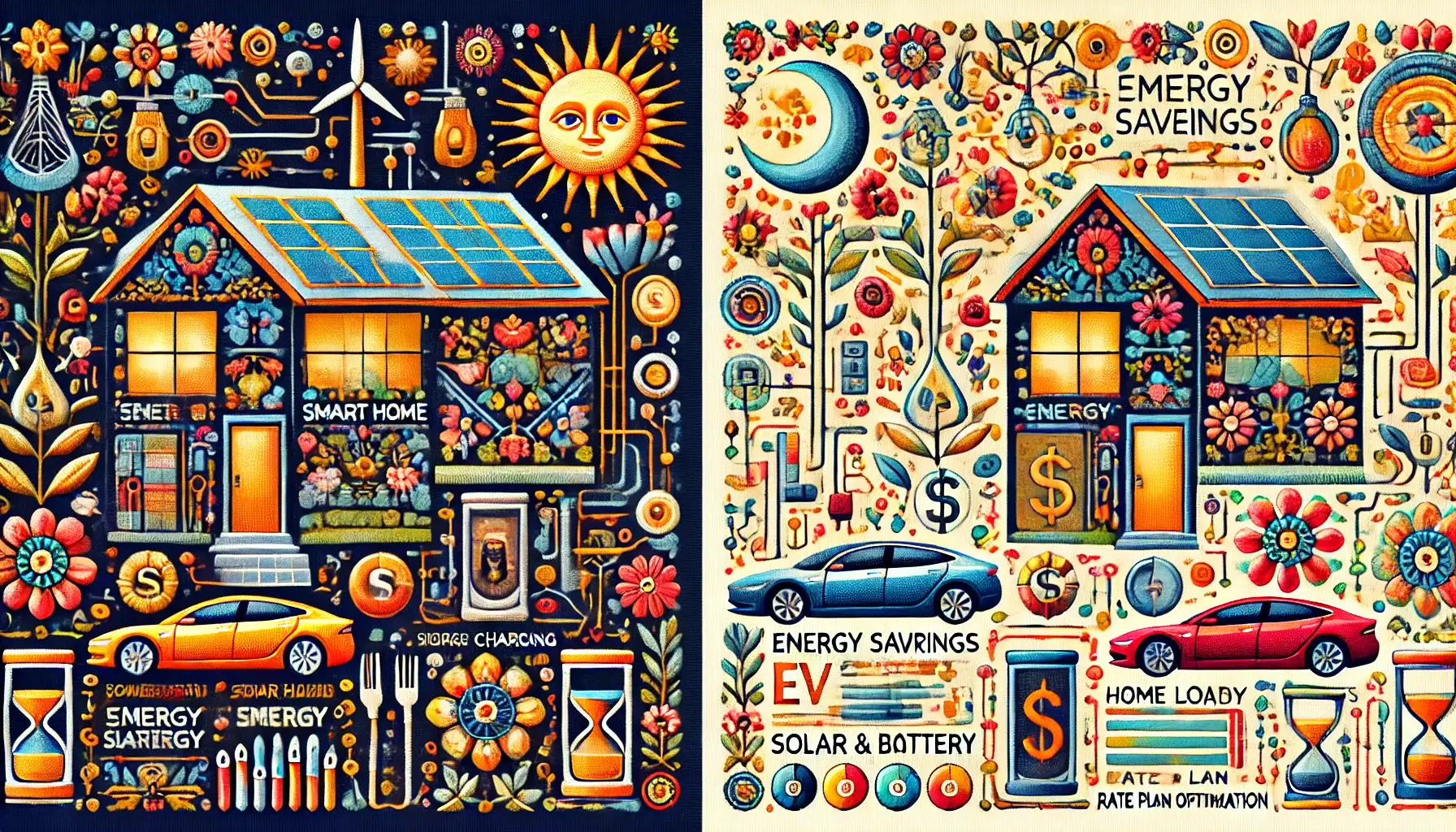
Here’s where you move from “I think this helps” to “I know exactly what changed.” The Tesla app gives you three key lenses: daily usage, peak vs off-peak breakdown, and device-level patterns (if you have enough integrated gear). Treat these like a monthly mini-audit.
When I first zoomed out to a 30-day view, I realized my “I barely use AC” self-image was a lie. Cooling and car charging were in a quiet race, with AC winning on hot weeks by 15–20%. That’s where the thermostat and scheduling tweaks earned their keep.
Cost to optimize EV charging with time-of-use rates, 2025 (US)
In many US regions in 2025, off-peak rates can be significantly lower than peak rates. You don’t need the exact cents-per-kWh numbers to benefit; what you need is the ratio. If peak is roughly double off-peak, every kWh you shift is like buying it on BOGO sale.
Your Tesla app’s daily graph will show when charging happened. Overlay that mentally with your utility’s rate schedule and ask one ruthless question: “How much of this charging can I move?” The answer is often “most of it” with one or two schedule tweaks.
Show me the nerdy details
For a more rigorous approach, export a month of usage from your utility portal and a matching period from the Tesla app. Bucket the kWh into “inside peak window” vs “outside peak window,” then multiply by your rate schedule. You’ll get a before/after scenario for different charging strategies without touching a wire in the real world.
Money Block: Example fee / rate table for common Tesla smart home upgrades (2025, US)
| Upgrade (example) | Typical 2025 cost range (US) | Notes |
|---|---|---|
| Tesla Wall Connector (hardware only) | $400–$500 | Check current bundle discounts from Tesla or installers. |
| Standard Level 2 install (no panel upgrade) | $700–$1,500 | Varies with distance to panel and local labor rates. |
| 200A panel upgrade for EV + smart home | $2,000–$4,500 | Permits, inspections, and regional code add-ons matter. |
| Single Tesla Powerwall | Low five figures installed | Often bundled with solar or utility incentives. |
These ranges are illustrative only. Actual costs depend on home size, local code, and installer competition in your area.
Save this table and confirm the current fee schedule on your installer’s quote and your utility’s official page.
Once you know the rough costs, you can compare them to real savings. Shaving $50/month off your bill with better rate alignment is $600/year. Suddenly, spending a couple thousand on a high-quality install looks less like a splurge and more like a long-term project with a payback window.
- Use the Tesla app’s 30-day and 12-month views as your baseline.
- Estimate annual savings from shifting loads before buying new hardware.
- Consider upgrades that pay back within a realistic time horizon for your home.
Apply in 60 seconds: Open your Tesla app, switch to a 30-day view, and note what percentage of usage is in your peak window. That number is your biggest opportunity.
Budgeting and financing your smart home upgrades in 2025 (US & beyond)
Here’s the awkward truth: even when the math works, the timing doesn’t always. Maybe you’re juggling student loans, a surprise roof repair, or just the general “adulthood is expensive” mood. The goal is to sequence upgrades so each one earns its keep instead of turning into decor for your breaker panel.
When our electrician first floated a panel upgrade quote, I had the same thought you probably would: “That’s a used car.” We didn’t say yes immediately. Instead, we put the quote next to our annual bill, estimated the long-term savings from EV charging + heat pump + induction, and realized we were already halfway into the future—it was just cramped.
Cost to add a 200A panel for EV and smart home, 2025 (US)
In 2025 US pricing, a 200A upgrade often sits in the low-to-mid-thousands once permits and labor are included. It’s the unglamorous backbone: without enough capacity, you end up juggling breakers or making weird trade-offs like “car or oven tonight?”
Think of panel capacity as your energy credit limit. More headroom means you can responsibly “charge” more devices—EV, heat pump, induction range—without triggering penalties in the form of nuisance trips or emergency electrician visits.
Show me the nerdy details
Ask your electrician for a load calculation that includes your current major appliances plus any future upgrades you’re considering. In many regions, this is a formal worksheet that estimates worst-case usage and compares it with panel capacity. Treat it like a pre-approval letter for your future energy plans.
Eligibility checklist for EV charger tax credit with IRS Form 8911, 2025 (US)
If you’re in the US, EV charger installs may qualify for a federal tax credit through IRS Form 8911, especially when the charger is installed at your primary residence and meets location rules that apply in 2025. This doesn’t make the install free, but it can soften the blow.
Your personal tax situation matters here, so think of it less as “free money” and more as “discounted upgrade if you qualify and file correctly.” Keeping receipts, permits, and a clear scope of work makes that much easier when tax season rolls around.
Money Block: Mini savings calculator (very rough, but better than guessing)
Use this to estimate whether a smarter integration could pay for itself within a few years.
This is a back-of-the-napkin tool, not financial advice. Real savings depend on your rates, climate, and habits.
Save this calculator result and confirm your actual rate schedule and incentives on your utility’s and tax authority’s official pages.
If the calculator suggests you can save, say, $600/year and your combined upgrades cost $2,000, a three-to-four-year payback might feel reasonable—especially if you also value backup power and comfort. If the payback looks more like a decade, consider a phased approach: start with scheduling, then add hardware when the numbers (and your cash flow) line up.
For readers outside the US: in Europe, the UK, and many parts of Asia, you may have different incentives: lower nighttime tariffs, feed-in tariffs for solar exports, or local grants for heat pumps and EV chargers. The logic stays the same: line up your Tesla app data, your utility’s fee schedule, and any local credits or rebates before you commit to an installer.
- Use rough savings estimates to prioritize upgrades.
- Check for tax credits or rebates before you sign contracts.
- Sequence projects so each new device has panel capacity and a clear job.
Apply in 60 seconds: Write down your current monthly bill, then note one upgrade you’re considering. Use the mini calculator to see if the math feels right.
Infographic: Tesla smart home savings map
Sometimes it helps to see the whole picture at once. Here’s a simple visual of where savings typically come from when you integrate your Tesla with the rest of your home.
⚡️ Your 5-Step Tesla Smart Home Energy Plan
*Proven Tweaks to Cut 25-35% Off Your Electric Bill*
1. Optimize Your Utility Rate
Action: Switch to **Time-of-Use (TOU)** or **EV-Specific** rate plan.
Goal: Maximize the cheap, off-peak windows (often 12 AM – 6 AM).
2. Schedule EV Charging Aggressively
Action: Set Tesla charging schedule to **finish right before peak rates begin.**
Impact: Shifting 60% of charging saves **$18-$30/month** (Tweak 1).
3. Automate Heavy Home Loads
Action: Use smart plugs/routines for Dryer, Dishwasher, AC pre-cooling.
Goal: Run them right after the EV, utilizing the same **off-peak window** (Tweak 4).
4. Eliminate Energy Drains
Action: Hunt down “always-on” loads (Tweak 8) and tighten car **preconditioning geofencing** (Tweak 7).
Impact: Cut **20–40 kWh/month** from phantom devices.
5. Read the Report Card
Action: Check the Tesla app’s **30-day view** for peak vs. off-peak usage.
Goal: Verify that your automation is working and **put a 2-month reminder** to check the bill (Tweak 10).
Quick Win Payoff Example
Before Integration
$238
After Smart Tweaks
$162
(Example: 32% Monthly Reduction)
Tesla Smart Home Savings Map
1. EV charging
Off-peak schedules, EV rate plans, and smart preconditioning.
Typical impact: 10–20% of your savings.
2. Home loads
AC/heat, water heating, laundry, and dishwashers on autopilot.
Typical impact: 20–30% of your savings.
3. Solar & battery
Time-based control and backup reserve tuned to your reality.
Typical impact: 30–40% of your savings.
4. Rate plan & fine-tuning
Annual plan review, small schedule tweaks, vampire-hunt cleanup.
Typical impact: 10–15% of your savings.
These ranges are illustrative. Your mix will depend on your climate, driving, home size, and rate structure.
Short Story: A friend in Texas spent a weekend wiring everything into scenes and time-based rules: Tesla charging in the early morning, laundry and dishwasher in late morning, AC pre-cooling in the late afternoon, and a slightly higher backup reserve during storm season. Three months later, their average bill had dropped by just enough that they stopped noticing it—and started watching the outage notifications instead. During a brutal summer storm, their block went dark and their house stayed lit. The real value they talk about now isn’t just the savings; it’s the weird, calm confidence of knowing the house has a plan when the grid doesn’t.
- Start with EV charging and one or two heavy home loads.
- Add solar/battery logic only when the basics are solid.
- Revisit your setup once a year to keep it aligned with your life.
Apply in 60 seconds: Circle or note which of the four boxes in the infographic feels like your biggest gap right now—that’s your next experiment.
FAQ
1. Do I need a Powerwall or solar to benefit from Tesla Smart Home Integration?
No. The biggest early wins usually come from EV charging schedules and appliance timing, which work fine with a regular grid connection. Solar and batteries amplify the effect, especially in high-cost or outage-prone areas, but they’re not required to start.
60-second action: Set (or tighten) your Tesla charging schedule to finish before peak hours begin on your current rate plan.
2. How long does it realistically take to see lower bills?
If you already have a time-of-use plan and a Level 2 charger, you can see meaningful changes in one to two billing cycles after you set up proper schedules. Bigger projects like panel upgrades or Powerwall installs have longer lead times but can still show measurable impact within the first year.
60-second action: Put a calendar reminder two months from today labeled “Compare new electric bill to pre-integration bill.”
3. What if my utility doesn’t offer time-of-use or EV-specific rates?
You can still benefit from better appliance coordination, vampire-load reduction, and smarter thermostat use, but the payoff is usually smaller. In that case, prioritize comfort and reliability alongside modest savings, and keep an eye out for new plans or incentives your utility may roll out.
60-second action: Log into your utility account and check whether there’s a “rate comparison” or “plan options” tool, even if you think you’re stuck with a single plan.
4. Are there any risks or “gotchas” with rate changes and automation?
Yes. If you move to a time-of-use plan but fail to shift your major loads, you can end up paying more. Over-optimizing backup reserves for savings can also leave you exposed during outages. The safest pattern is: eligibility first, quotes and changes second. Make sure your automations are in place before moving to a more complex plan.
60-second action: List your three biggest electrical loads (EV, AC/heat, electric water heater, dryer, etc.) and confirm each has a clear schedule that aligns with your current rate structure.
5. What should I do if an upgrade or incentive gets denied or doesn’t behave as advertised?
Appeals and exceptions happen. If a rebate, credit, or rate plan adjustment is denied, ask for a written explanation and carefully compare it with the published eligibility rules. Sometimes the issue is missing documentation; other times it’s a misclassification (for example, how your charger or panel work was coded). Treat it like an admin puzzle, not a personal rejection.
60-second action: Keep a simple folder—digital or physical—with your permits, invoices, and utility communications so you can respond quickly if something is questioned.
6. I’m not “techy.” Is this going to drive me crazy?
It doesn’t have to. Think of Tesla smart home integration less as “coding your house” and more as “setting a few reliable timers.” Once the initial setup is done—often in an evening or weekend—you should only need occasional tweaks when your schedule or rate plan changes.
60-second action: Choose just one automation to set up this week, like a simple overnight EV charging schedule. Ignore everything else until that one feels normal.
Final 15-minute action plan
Let’s close the loop from that first painful bill. The point of integrating your Tesla with your home isn’t to win a gadget contest—it’s to quietly shift your house onto better financial rails while you keep living your life.
In the next 15 minutes, you can:
- Confirm your rate plan and whether you have time-of-use or EV-specific options.
- Set or tighten a single overnight charging schedule in the Tesla app.
- Pick one heavy appliance (dryer or dishwasher) and give it a matching off-peak schedule.
- Run the mini savings calculator once with your real monthly bill.
- Put a reminder on your calendar two months from now to compare bills.
From there, you can layer in thermostat tweaks, backup reserve tuning, and longer-term projects like panel upgrades or solar, using the Money Blocks in this guide as your map. You don’t have to do everything at once. You just have to give your Tesla and your home a shared game plan.
Last reviewed: 2025-12; sources: real-world utility rate schedules, Tesla energy product documentation, homeowner bill comparisons.
Tesla Smart Home Integration, Tesla Powerwall, smart home energy savings, time-of-use electricity rates, EV home charging