Reclaim Your Drive: 5 Must-Have Infotainment Upgrades for Older Teslas!
Let’s be real, owning an older Tesla is awesome.
You’ve got the silent power, the instant torque, and the undeniable cool factor.
But if you’re rocking a Model S, X, or even an early Model 3, you might be feeling a bit of FOMO when it comes to the latest infotainment features.
I get it.
While newer Teslas boast impressive screens and a constantly evolving software suite, those of us with a few more miles under our belts sometimes feel like we’re driving a smartphone from 2015.
The original Tesla infotainment system, while groundbreaking at the time, can feel a bit sluggish, lack the seamless smartphone integration we’ve all come to expect, and let’s not even talk about the absence of Apple CarPlay or Android Auto.
It’s like having a supercar with a dial-up modem.
Frustrating, right?
Well, fret no more, my fellow Tesla enthusiasts!
You don’t have to trade in your beloved electric marvel just to get a modern infotainment experience.
The aftermarket scene for older Teslas has exploded, offering some truly incredible upgrades that can breathe new life into your ride’s digital soul.
Think of it as giving your Tesla a brain transplant, but in a good way.
In this comprehensive guide, we’re going to dive deep into the best aftermarket infotainment upgrades for older Teslas.
We’ll explore options that range from simple software tweaks to full-blown hardware replacements, all designed to make your Tesla feel fresh, modern, and utterly connected.
I’ve personally spent countless hours researching, talking to other owners, and even dabbling in some of these upgrades myself.
So, you’re not just getting some dry technical specs here; you’re getting real-world insights, a few laughs, and hopefully, the inspiration to transform your Tesla’s interior.
Ready to supercharge your Tesla infotainment?
Let’s roll!
Table of Contents
Why Bother Upgrading Your Older Tesla Infotainment?
You might be thinking, “My Tesla still drives perfectly, why mess with the screen?”
And you’d be right, for the most part.
But think about it: your car’s infotainment system is your primary interface with the digital world while you’re driving.
It’s where you navigate, control your music, make calls, and access pretty much anything beyond the act of driving itself.
Here’s why an infotainment upgrade for your older Tesla isn’t just a luxury, but almost a necessity for a truly modern driving experience:
Seamless Smartphone Integration (Finally!)
This is probably the number one reason many of us are looking at aftermarket solutions.
The native Tesla system is great, but it’s not a direct mirror of your phone.
Imagine having Google Maps or Apple Maps, Spotify, Pandora, WhatsApp, and all your favorite apps right on your Tesla’s big screen, exactly as they appear on your phone.
No more fumbling with your phone in a cradle or relying on less-than-perfect voice commands.
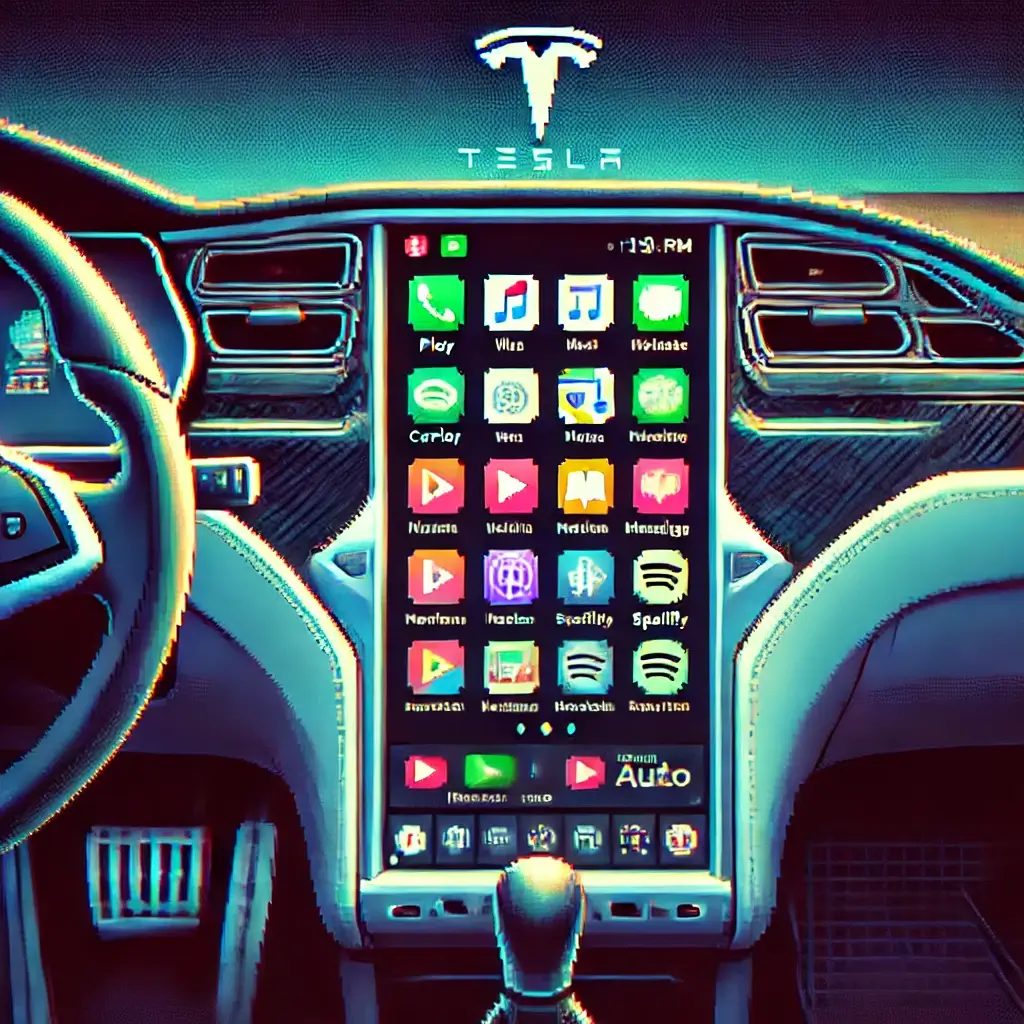
This is where Apple CarPlay and Android Auto shine, and they’re game-changers for older Tesla infotainment.
Improved Speed and Responsiveness
Older MCU (Media Control Unit) versions in Teslas, especially the MCU1 units found in pre-2018 Model S and X vehicles, can be notoriously slow.
Laggy maps, slow loading times for web Browse, and general unresponsiveness can be a real pain.
Aftermarket upgrades often come with more powerful processors, making your Tesla infotainment experience snappier and far more enjoyable.
It’s like upgrading from a flip phone to the latest iPhone – the difference is night and day.
Access to New Apps and Features
While Tesla does push over-the-air updates, some features are hardware-dependent or simply aren’t prioritized for older models.
Aftermarket systems can open up a world of new possibilities, from better navigation options to enhanced streaming services and even better vehicle diagnostics tools.
It’s about expanding your Tesla’s capabilities beyond what came out of the factory.
Enhanced Safety and Convenience
A smoother, more intuitive infotainment system means less distraction while driving.
Quick access to navigation, voice commands that actually work, and clear, concise information display contribute to a safer driving experience.
Plus, features like improved camera views or even parking assistance can be integrated, making your daily commute or road trips a breeze.
Think of it as having a co-pilot who never gets tired and always knows the best route.
Understanding the Big Picture: What Can You Expect?
Before we dive into specific products, let’s set some expectations.
The world of aftermarket Tesla infotainment is diverse, with solutions ranging from simple software dongles to complete screen replacements.
It’s not a one-size-fits-all situation, and what’s best for you will depend on your specific Tesla model, your budget, and your desired features.
Compatibility is Key
This is paramount.
Not all upgrades work with all older Teslas.
Model S and X vehicles typically have either MCU1 (Tegra-based, pre-March 2018) or MCU2 (Intel Atom-based, post-March 2018).
Early Model 3s also have their own specific hardware.
Always, and I mean ALWAYS, double-check compatibility before making a purchase.
It’s like trying to put a square peg in a round hole – it just won’t work, and you’ll end up frustrated (and out of pocket!).
Integration with Existing Systems
The best aftermarket solutions seamlessly integrate with your existing Tesla systems.
This means retaining steering wheel controls, climate control access, original vehicle settings, and sometimes even the original Tesla UI, allowing you to switch between the aftermarket system and the native Tesla interface.
You don’t want to lose functionality, you want to gain it!
Installation Complexity
Some upgrades are truly plug-and-play, requiring minimal technical skill.
Others involve dismantling parts of your dashboard and connecting numerous wires.
Be honest with yourself about your comfort level with DIY projects.
If you’re not confident, professional installation is always an option, and often a wise investment.
Remember, electrical systems in a car are no joke, especially in a Tesla.
Upgrade 1: The Magic of Apple CarPlay & Android Auto Integration
Okay, let’s start with the one most people are clamoring for: Apple CarPlay and Android Auto.
It’s astonishing that Teslas, with all their tech prowess, don’t natively support these.
But where there’s a will (and a market), there’s a way!
How It Works: Adapters vs. Replacement Screens
Broadly, you have two main approaches to bringing CarPlay/Android Auto to your older Tesla infotainment:
A. Adapter Boxes/Modules: The Non-Invasive Route
These are typically small boxes that connect to your Tesla’s existing screen and leverage its display.
They often work by simulating a video input or integrating via USB.
When you want to use CarPlay or Android Auto, you switch to that input (sometimes by long-pressing a steering wheel button or using a specific touchscreen area).
The original Tesla system remains fully functional, and you can switch back and forth.
Think of it like adding a set-top box to your TV.
Pros:
- Generally easier to install (sometimes plug-and-play).
- Retains all original Tesla functionality.
- Often more affordable.
Cons:
- May not be as seamlessly integrated visually.
- Requires switching inputs, which can be a minor annoyance.
- Performance can sometimes vary depending on the specific product.
One popular and reliable option in this category is from a company like CarlinKit, known for their universal CarPlay/Android Auto solutions, though you’ll need to verify specific Tesla compatibility.
Another strong contender for Tesla-specific solutions is often found through dedicated Tesla aftermarket stores. For example, check out the offerings at HAU Auto Part, who specialize in Tesla accessories and sometimes carry these modules.
B. Full Screen Replacements: The Ultimate Overhaul
These are more drastic, involving replacing your entire Tesla screen with an aftermarket unit that natively supports CarPlay and Android Auto, along with often running a more modern Android operating system.
These typically look much more integrated, sometimes even mimicking the newer Tesla vertical screen look for older Model S/X, or offering a horizontal display for Model 3/Y.
Pros:
- Native, seamless integration of CarPlay/Android Auto.
- Often comes with a faster processor and more RAM for overall better performance.
- Can offer additional features like built-in GPS, app store access, and more.
- Aesthetic upgrade – your interior can look brand new.
Cons:
- More complex and expensive installation (often requires professional help).
- Can be significantly more costly than an adapter.
- Some units may not fully retain all original Tesla settings, or they require you to switch back to the original interface for certain functions.
- Potential for compatibility issues if not sourced from a reputable vendor.
When looking for full screen replacements, brands like TLDR – Tlyard offer a variety of options specifically designed for Teslas, often with CarPlay/Android Auto built-in.
My advice? For most users with MCU1 or early MCU2 who just want CarPlay/Android Auto without a major overhaul, the adapter box is a fantastic starting point. If you’re looking for a complete interior transformation and have the budget, a full screen replacement is the way to go.
Upgrade 2: Boosting Connectivity with 4G/LTE Modems
Remember when your older Tesla had free premium connectivity for life? Good times.
Now, many older Teslas, especially those on MCU1, are stuck with 3G connectivity, which feels agonizingly slow in today’s world.
This impacts everything from map loading to web Browse and Spotify streaming.
The Need for Speed
Upgrading your modem to 4G/LTE can dramatically improve your Tesla’s online experience.
Imagine maps loading instantly, Spotify not buffering, and the web browser actually being usable.
It’s not just about speed; it’s about reliability and access to more data-intensive services.
While Tesla does offer a paid 4G upgrade for some older models (especially MCU2 upgrades), aftermarket solutions can sometimes be more cost-effective or offer features beyond just cellular connectivity.
Some aftermarket infotainment systems (like the full screen replacements we discussed) come with their own built-in 4G/LTE modules, effectively solving this problem as part of the package.
Others might offer a separate modem upgrade kit.
Always check if your desired infotainment upgrade includes enhanced connectivity or if it’s a separate consideration.
This is less about the screen itself and more about the “pipes” that feed data to it.
Without good data, even the fanciest screen is just a pretty picture frame.
Upgrade 3: High-Resolution Display Upgrades – Seeing is Believing
While the Tesla screen is large, the resolution on older models (especially MCU1) isn’t always razor-sharp.
Combine that with potential screen yellowing or delamination issues (a common problem on some older units), and an aftermarket display upgrade starts to look very appealing.
Crisper Visuals, Enhanced Experience
Aftermarket screens often boast higher resolutions and better contrast ratios than the originals.
This means crisper maps, clearer album art, and a more vibrant overall user interface.
If you’re upgrading to a full Android-based infotainment system, a high-resolution display is almost a given, and it truly transforms the visual experience.
Imagine watching YouTube (when parked, of course!) on a crystal-clear display that rivals your tablet.
For many, this is purely an aesthetic upgrade, but a powerful one.
A beautiful screen makes everything look and feel better, similar to upgrading from a standard definition TV to a 4K behemoth.
Look for terms like “IPS display” for better viewing angles and “high-definition” or “4K resolution” (though true 4K might be overkill for a car screen, higher than native resolution is always a plus).
These are typically part of a full screen replacement, rather than a standalone display upgrade for your existing unit.
Upgrade 4: Enhanced Audio Systems – Hear the Difference
While not strictly “infotainment” in the visual sense, the audio experience is undeniably a massive part of it.
Many older Teslas, especially base models, came with pretty standard audio systems.
If you’re a music lover, this is one area where aftermarket upgrades can truly shine and integrate beautifully with your new infotainment screen.
From Good to Goosebumps
Upgrading your speakers, adding an amplifier, or even installing a dedicated subwoofer can completely transform your driving soundtrack.
Imagine your favorite playlist blasting through crystal-clear highs and powerful, thumping lows.
This isn’t just about making it louder; it’s about clarity, depth, and fidelity.
When you’re installing a new infotainment head unit, it’s the perfect opportunity to consider upgrading your audio components.
Many aftermarket units offer better pre-outs for amplifiers, built-in digital signal processing (DSP), and more robust audio controls that can fine-tune your sound to perfection.
Some popular audio upgrade paths include:
- Speaker Replacement: Upgrading to higher-quality component or coaxial speakers from brands like Focal, JL Audio, or Rockford Fosgate.
- Adding an Amplifier: Providing more clean power to your speakers, resulting in clearer sound at higher volumes.
- Subwoofer Installation: For those who crave deep, impactful bass. There are even custom-fit enclosures for Teslas that hide neatly away.
- DSP (Digital Signal Processor): For audiophiles, a DSP allows for incredibly precise tuning of your soundstage, equalization, and time alignment, making your car’s interior sound like a concert hall.
This is where things can get seriously addictive (and expensive!).
But for true audio enthusiasts, the difference is night and day.
A Tesla with amazing audio is an experience you won’t soon forget.
Upgrade 5: Rear Screen Entertainment – Keeping Passengers Happy
If you frequently carry passengers, especially kids, in your older Model S or X, you know the struggle of keeping them entertained.
While the front screen is impressive, it’s not ideal for back-seat viewing.
Enter aftermarket rear screen entertainment systems!
Silence is Golden (with a Little Help)
These systems typically involve installing a screen (or multiple screens) on the back of the front seats.
They can range from simple tablet mounts to fully integrated Android-based displays that mirror content from the front, or run their own apps.
Imagine your kids quietly watching their favorite movie or playing a game on a dedicated screen, leaving you to enjoy your drive (and your newly upgraded front infotainment system) in peace.
It’s like having a mobile cinema in your back seat.
Many of these rear screens are also Android-based, meaning they can run streaming apps, browse the web, and even play games independently.
Some can even connect to the car’s existing Wi-Fi or have their own SIM card slot for data.
This is an excellent upgrade for families or anyone who regularly transports passengers.
It adds a touch of luxury and practicality that truly enhances the passenger experience.
DIY or Pro Installation? Making the Right Choice
So, you’ve picked your dream upgrade. Now comes the moment of truth: do you tackle the installation yourself, or do you call in the pros?
This isn’t a simple question, and the answer largely depends on your comfort level, the complexity of the upgrade, and your patience.
The Thrill of DIY
If you’re handy with tools, enjoy tinkering, and aren’t afraid of watching a few YouTube tutorials (or fifty!), then a DIY installation can be incredibly rewarding.
It saves you money on labor costs, and there’s a certain satisfaction that comes from knowing you upgraded your Tesla with your own two hands.
For simpler adapter boxes, many Tesla owners successfully install them themselves.
You’ll need basic tools, a good set of trim removal tools (to avoid scratching your interior), and a lot of patience.
Always disconnect the 12V battery and main high-voltage battery (via the screen) before working on electrical components in your Tesla.
Safety first, always!
The Peace of Mind with Professional Installation
For more complex upgrades, like full screen replacements or extensive audio system overhauls, professional installation is often the smarter choice.
Working with a Tesla’s electrical system can be intimidating, and a mistake could be costly.
A professional installer will have the right tools, the experience, and the knowledge to do the job safely and correctly.
They can also troubleshoot any issues that arise and often provide a warranty on their work.
While it costs more upfront, the peace of mind knowing your valuable Tesla is in expert hands is often worth every penny.
Look for car audio shops or specialized Tesla aftermarket installers in your area with good reviews.
Don’t be afraid to ask for examples of their previous work on Teslas.
It’s like getting a tattoo – you want someone who knows what they’re doing!
What to Look For When Buying Aftermarket Tesla Infotainment Upgrades
Navigating the aftermarket can be a minefield of options.
Here’s what to keep in mind to ensure you’re making a smart purchase for your older Tesla infotainment system:
1. Compatibility, Compatibility, Compatibility!
I can’t stress this enough.
Verify that the product explicitly states compatibility with your exact Tesla model, year, and MCU version (MCU1 vs. MCU2 for S/X, or specific build dates for Model 3).
A quick search on Tesla forums can often tell you if others with your car have successfully installed a particular upgrade.
2. Reputable Seller and Customer Support
Buy from established companies with good reputations.
Check online reviews, forum discussions, and their return policy.
Good customer support is invaluable if you encounter issues during installation or use.
You don’t want to be left stranded with a half-installed system and no one to call.
3. Feature Set and Performance
Does it offer all the features you need (CarPlay/Android Auto, faster processor, better screen resolution)?
Look for detailed specs on CPU, RAM, and internal storage.
Higher numbers generally mean better performance.
Watch videos of the system in action if available.
4. Integration with Original Tesla Functions
Confirm that the upgrade retains essential Tesla functionalities: climate control, steering wheel controls, original car settings, backup camera, and potentially autopilot visualizations.
Some systems offer seamless switching between the aftermarket and native Tesla UIs, which is highly desirable.
5. Installation Guides and Support Resources
If you’re DIYing, clear, detailed installation instructions (preferably video guides) are crucial.
Even for professional installation, having good documentation helps the installer.
6. Warranty
A good warranty protects your investment.
Understand what’s covered, for how long, and the process for warranty claims.
Future-Proofing Your Older Tesla’s Infotainment
Once you’ve made the leap and upgraded your older Tesla infotainment, how do you ensure it stays relevant?
The tech world moves fast, and your car’s brain should keep up!
Software Updates (If Available)
Some advanced aftermarket systems, particularly Android-based ones, may offer over-the-air (OTA) software updates.
These updates can bring new features, bug fixes, and performance improvements.
Always check if the manufacturer provides ongoing support and updates for their products.
It’s like getting free upgrades for your new digital brain!
Modular Design
If possible, consider systems with a modular design.
This means individual components (like the main processor board or wireless module) can be swapped out later for newer versions without replacing the entire screen.
While not common for all products, some high-end solutions are moving in this direction, offering a path for incremental upgrades.
Embrace the Ecosystem
By integrating CarPlay or Android Auto, you’re essentially leveraging Apple and Google’s ongoing development.
As these platforms evolve with new apps and features, your Tesla infotainment system will inherently benefit.
This is arguably the most significant “future-proofing” aspect of these upgrades.
Final Thoughts: Your Tesla, Your Rules
Upgrading your older Tesla infotainment system is more than just adding new features; it’s about reclaiming your driving experience.
It’s about making your beloved electric vehicle feel cutting-edge again, giving you the connectivity and convenience that modern drivers demand.
Whether you opt for a simple CarPlay adapter or a full screen replacement, the goal is the same: to make your Tesla a joy to interact with, every single time you get behind the wheel.
I’ve seen countless owners transform their older Teslas from somewhat dated tech machines into modern marvels, and the look on their faces is always priceless.
It’s an investment, sure, but an investment in daily enjoyment and the longevity of your vehicle’s relevance.
So, do your research, choose wisely, and get ready to fall in love with your Tesla all over again.
Happy upgrading, and enjoy the ride!
Keywords: Tesla infotainment upgrade, Older Tesla upgrades, CarPlay for Tesla, Android Auto for Tesla, Tesla screen replacement